See the
heat, live.
tCam Viewer streams live radiometric thermal video from a tCam camera over your own Wi-Fi — spotmeter or region measurement, ten color palettes, recordings, time lapses, and rolling temperature charts, all decoded right on your device.
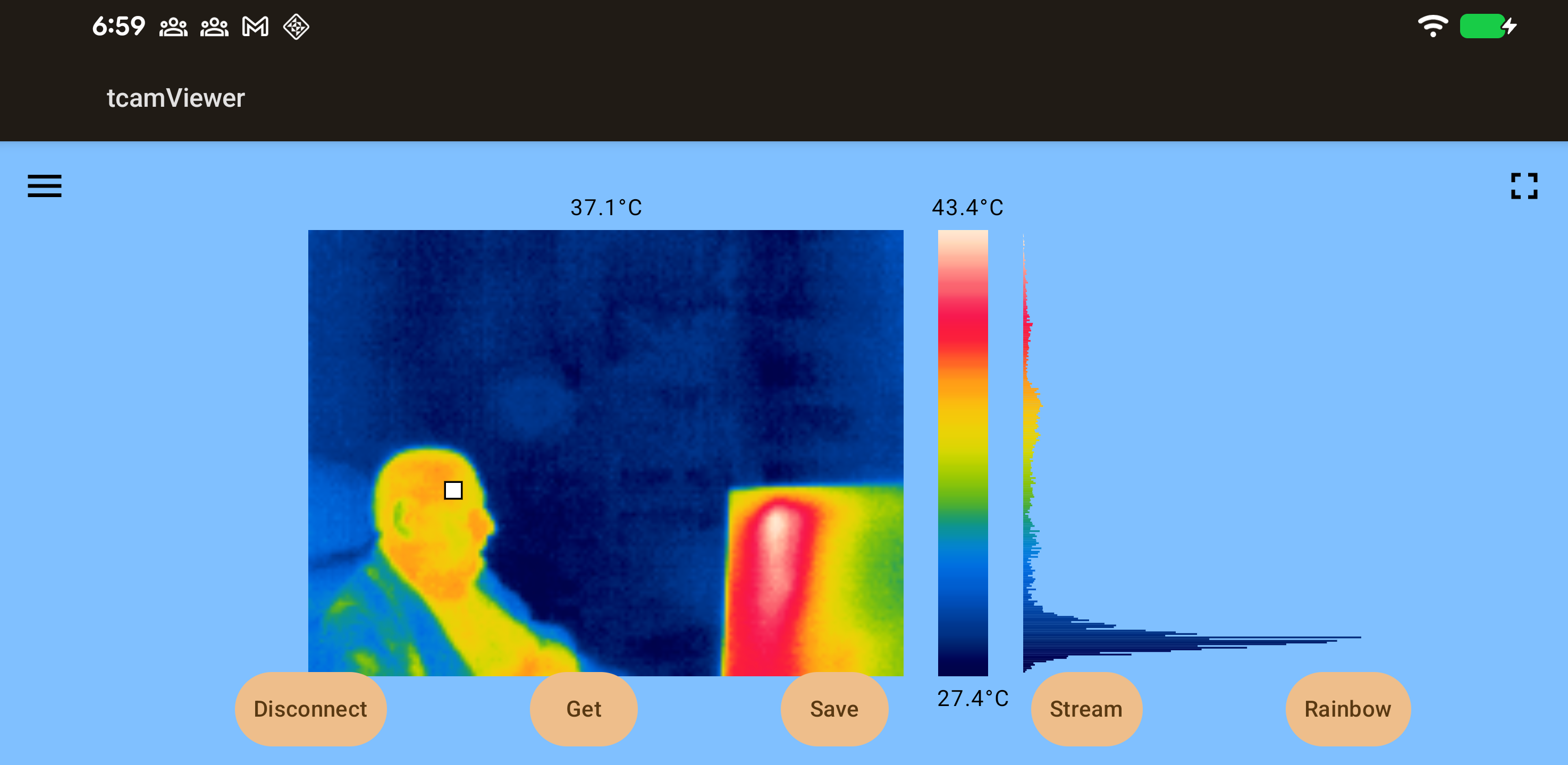
Color palettes
Switch live, mid-stream, without reconnecting to the camera — pick whichever mapping makes the heat easiest to read.
Built around one camera
Every screen is aimed at the same job: getting a clean read on temperature, fast, and keeping what you capture organized.
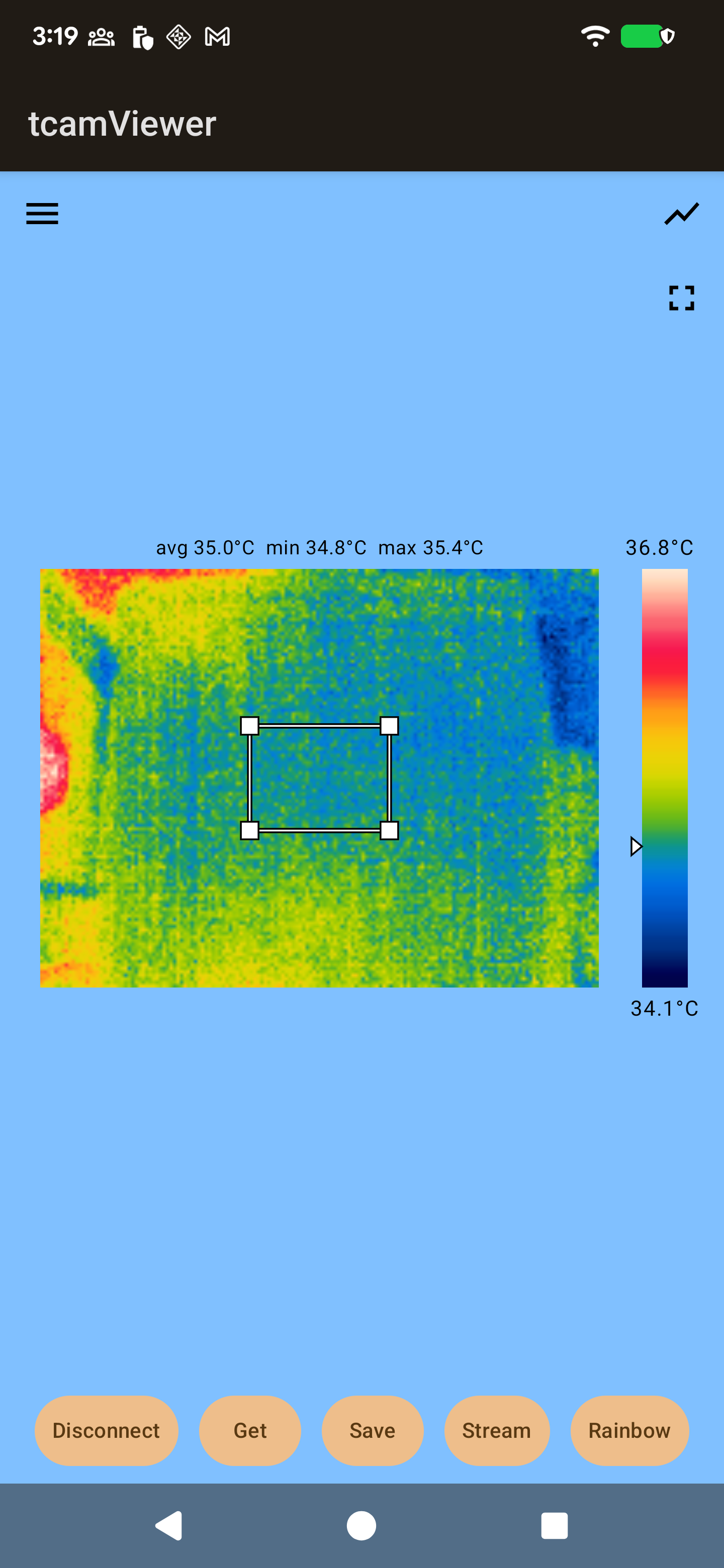
Define a hotspot region, not just a point
An alternative to the point spotmeter — resize a box over the frame and read its average, minimum, and maximum instead of one spot value.
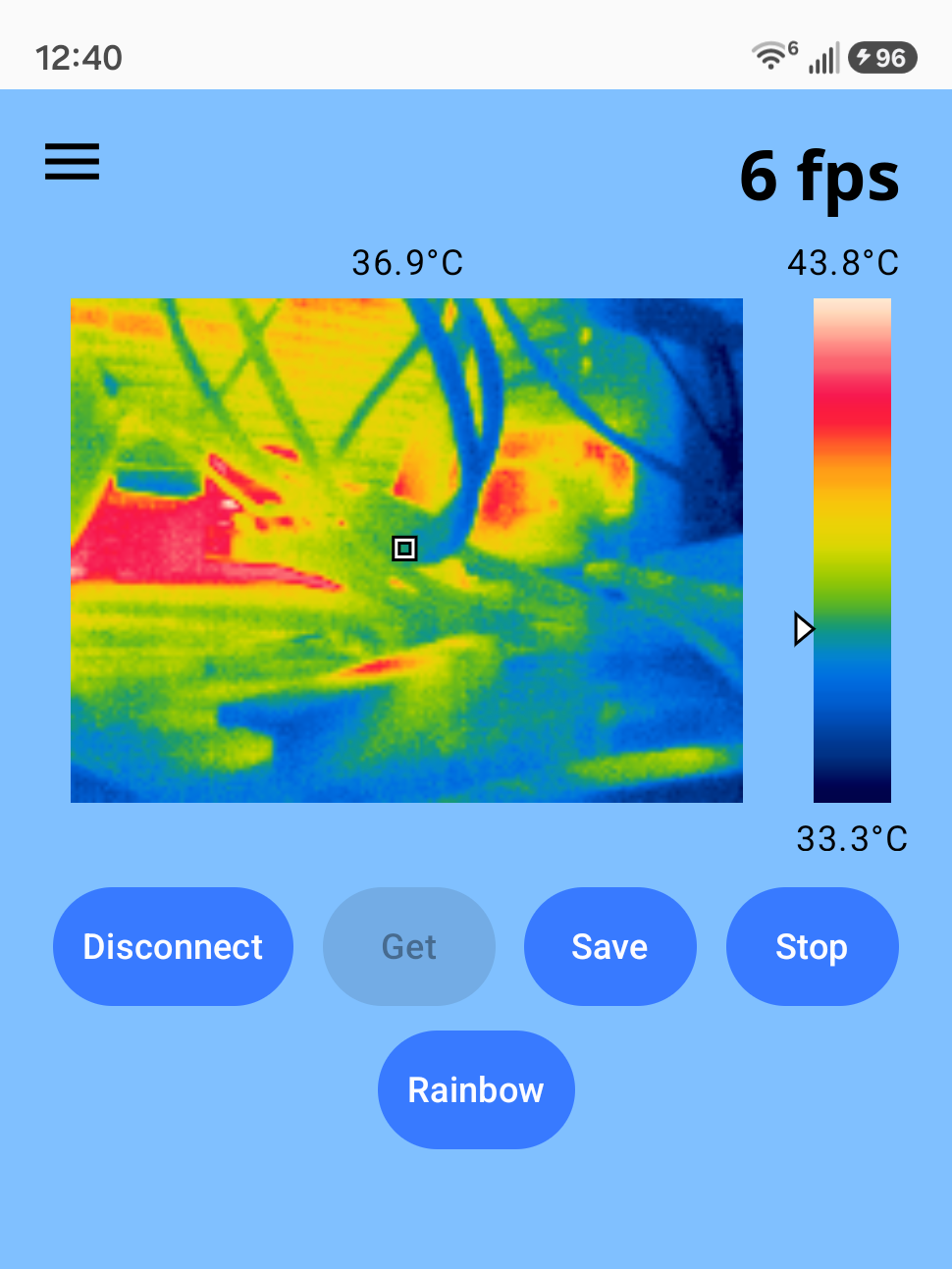
Watch it update in real time
Stream continuous thermal video straight from the camera over WiFi, with a live FPS counter so you can see exactly how fast it's updating.
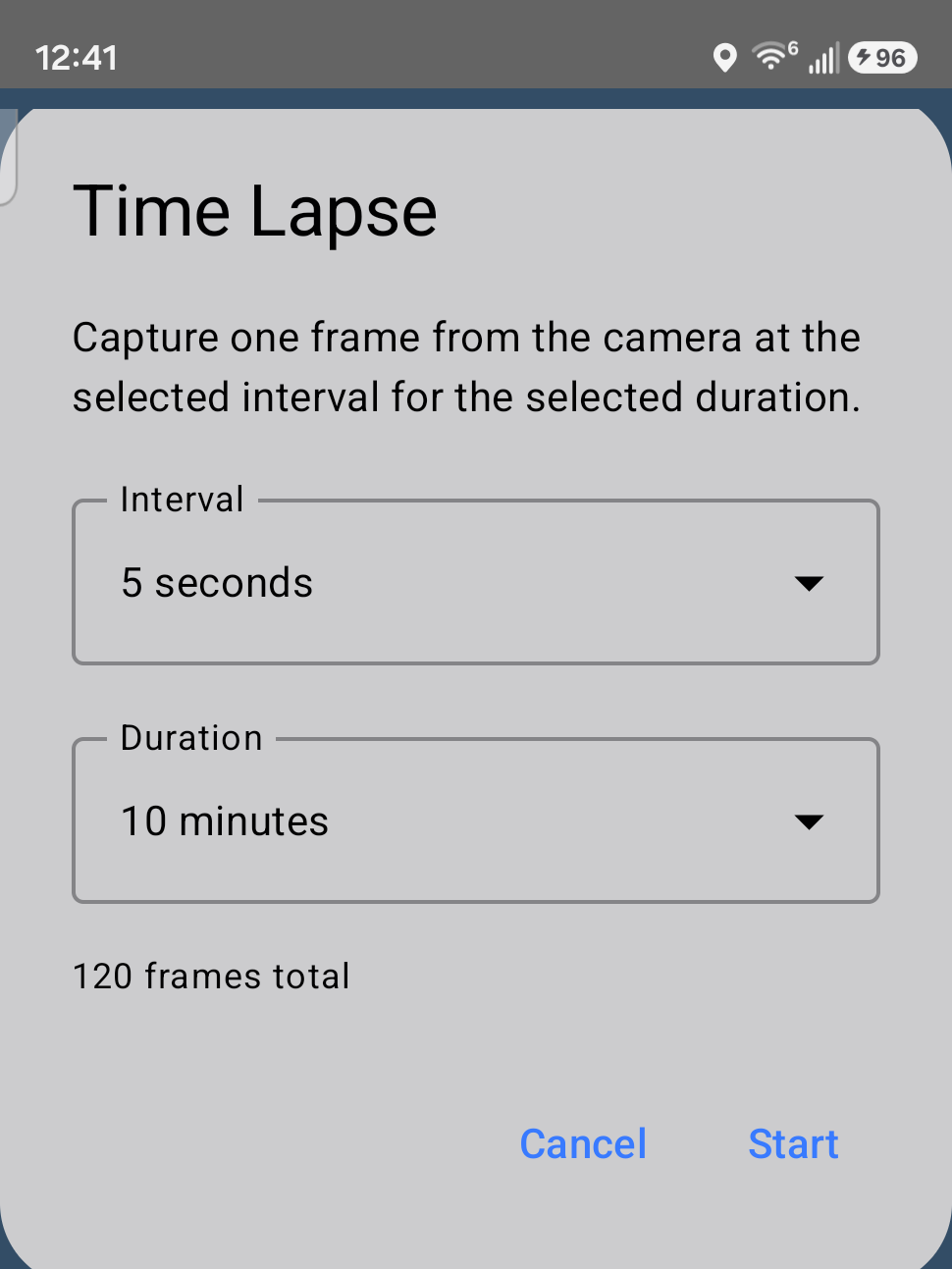
Capture change over hours, not seconds
Pick an interval and a duration and the app grabs one frame at a time in the background, then plays the result back as a smooth video you can scrub through.
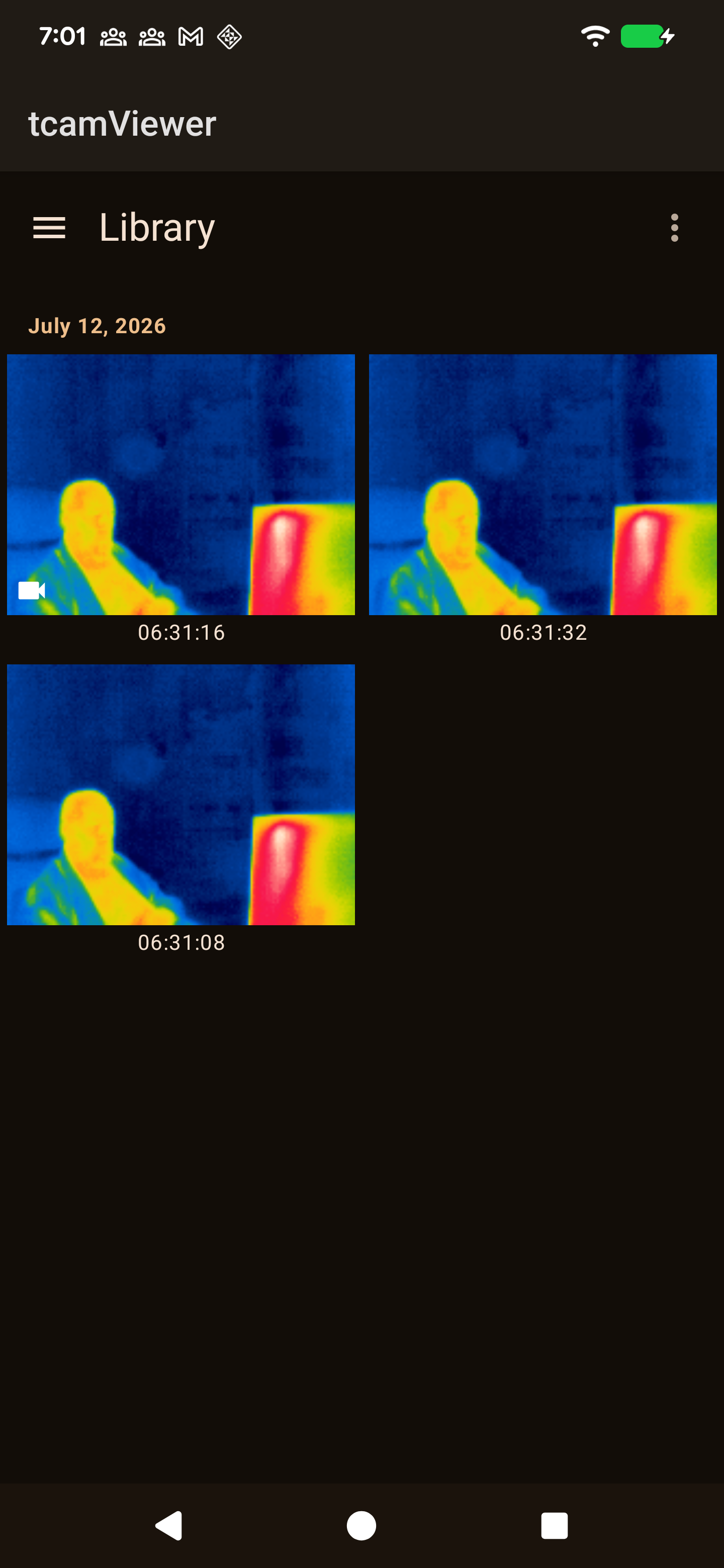
All your saved data, grouped by date
Browse saved images, recordings, and time lapses together, filter by date range, multi-select, and delete straight from the grid.
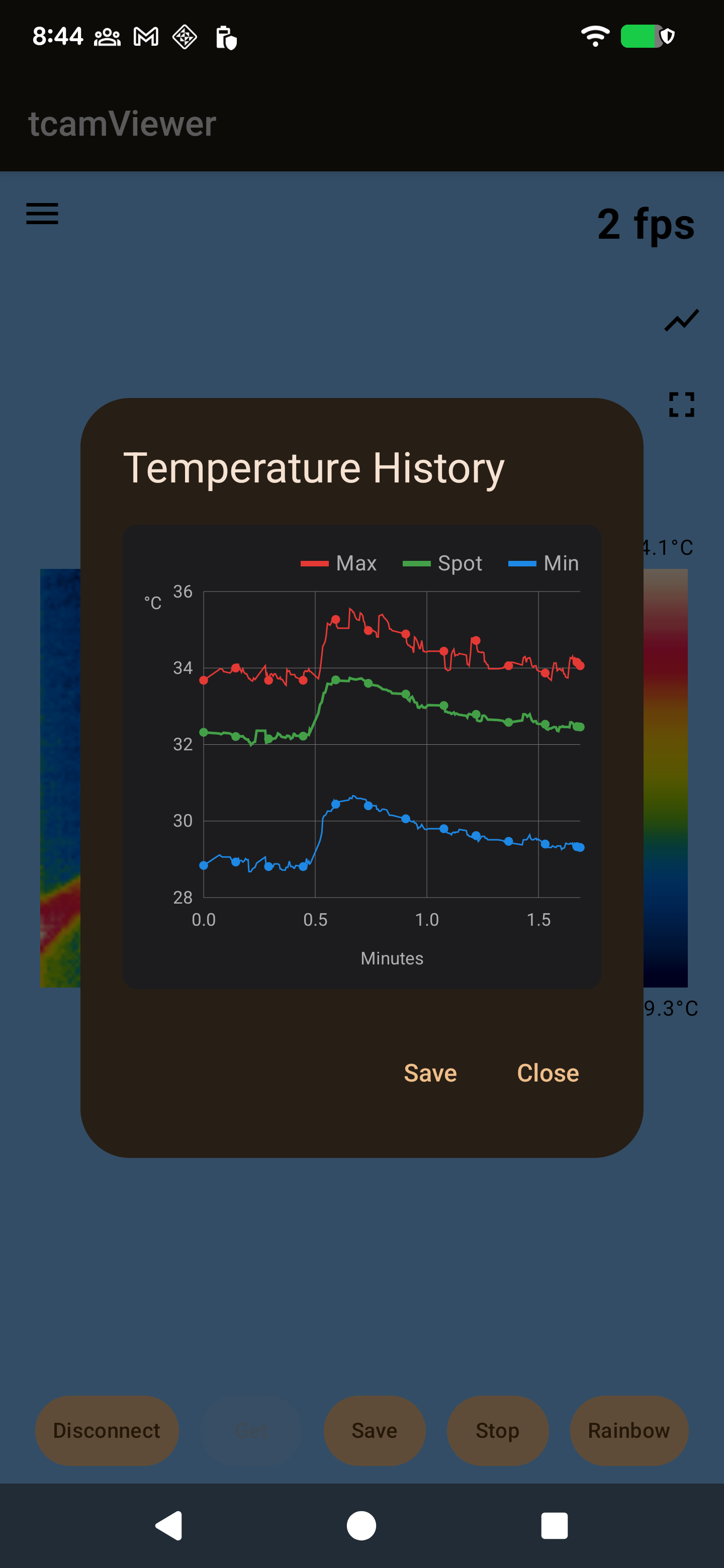
A rolling chart, not just a number
Spot, max, and min plotted over the last five minutes — styled after desktop thermal tools, with real gridlines and a legend, saveable as a chart file.
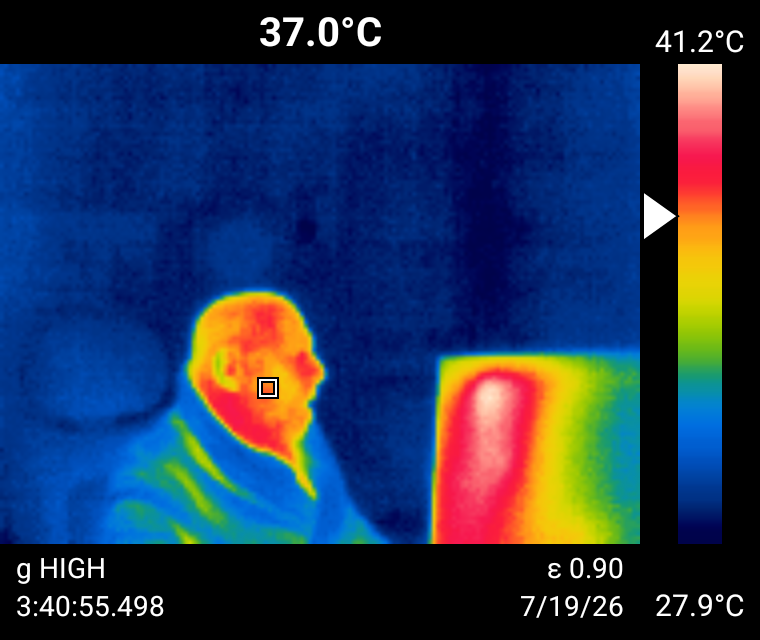
Export with complete thermal data
Exports composite the image at 4× with the color bar, spotmeter marker, and gain/emissivity/timestamp baked in — not just a bare frame.
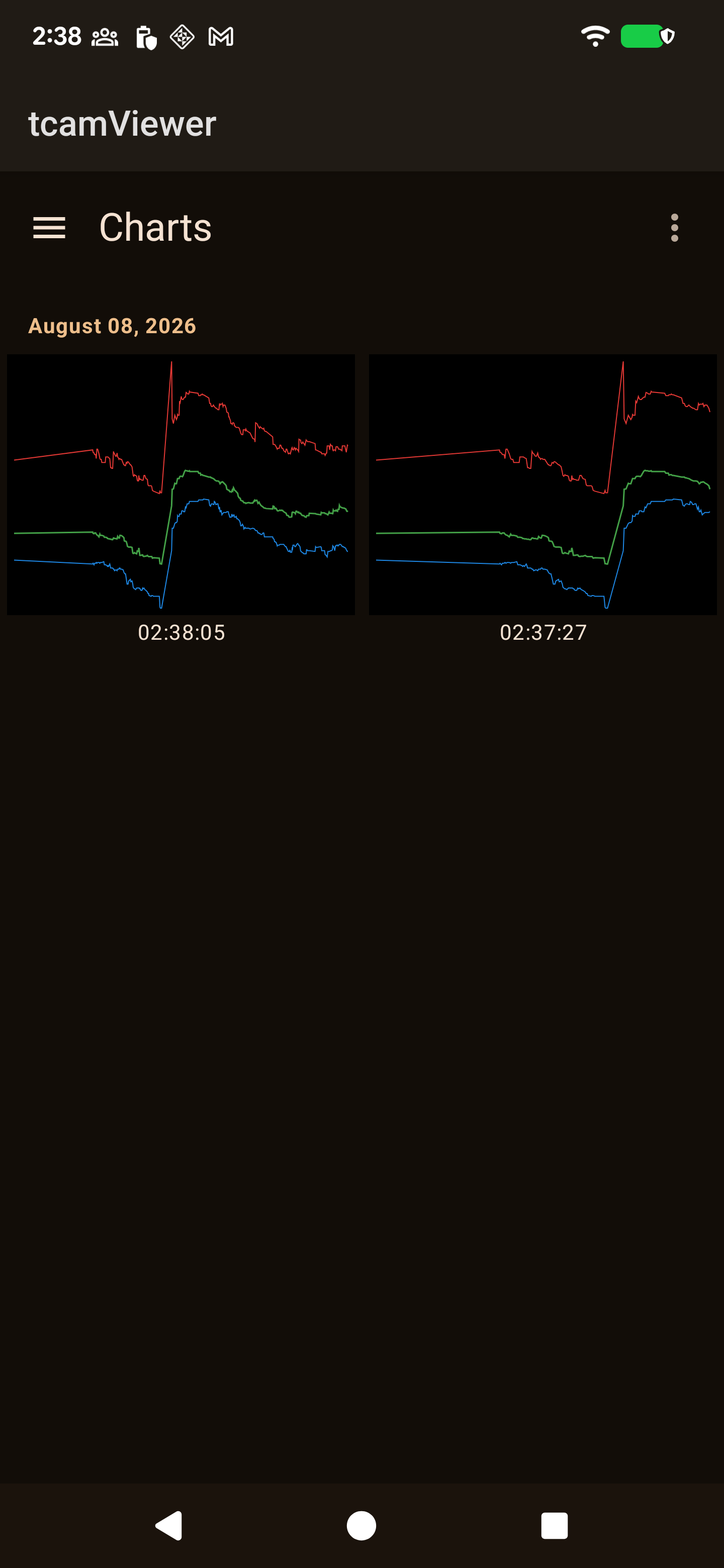
Saved histories, kept separately
Every chart you save gets its own screen — same grouped-by-date, multi-select, filterable browsing as the Library.
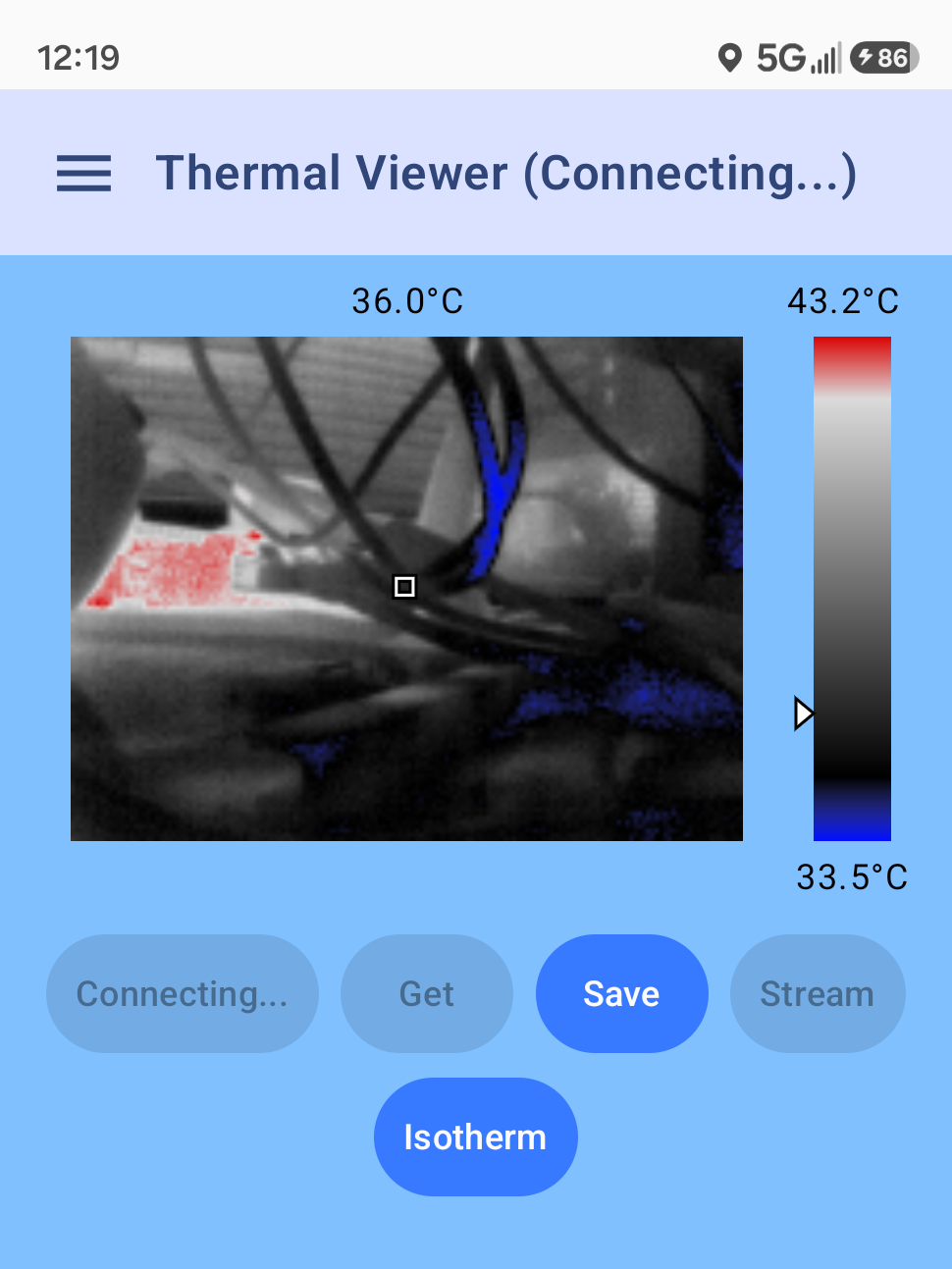
Automatic connection loss recovery
If a connection drops mid-stream, the app retries the last known address, then falls back to mDNS in case DHCP handed the camera a new one.
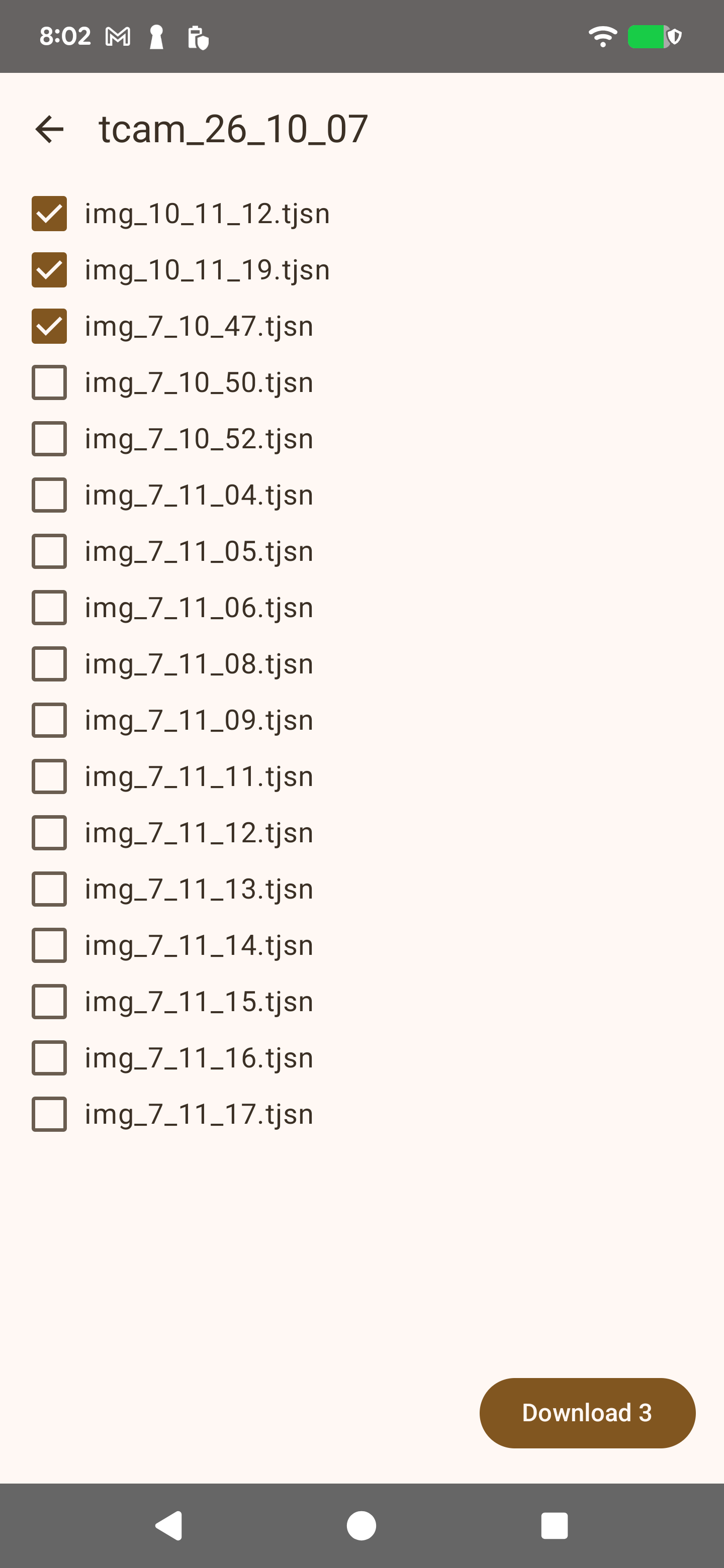
Pull files straight off the SD card
Full tCam cameras with a micro-SD card can be browsed right from the Library — download selected images or a whole folder at once, with live progress and a cancel button.
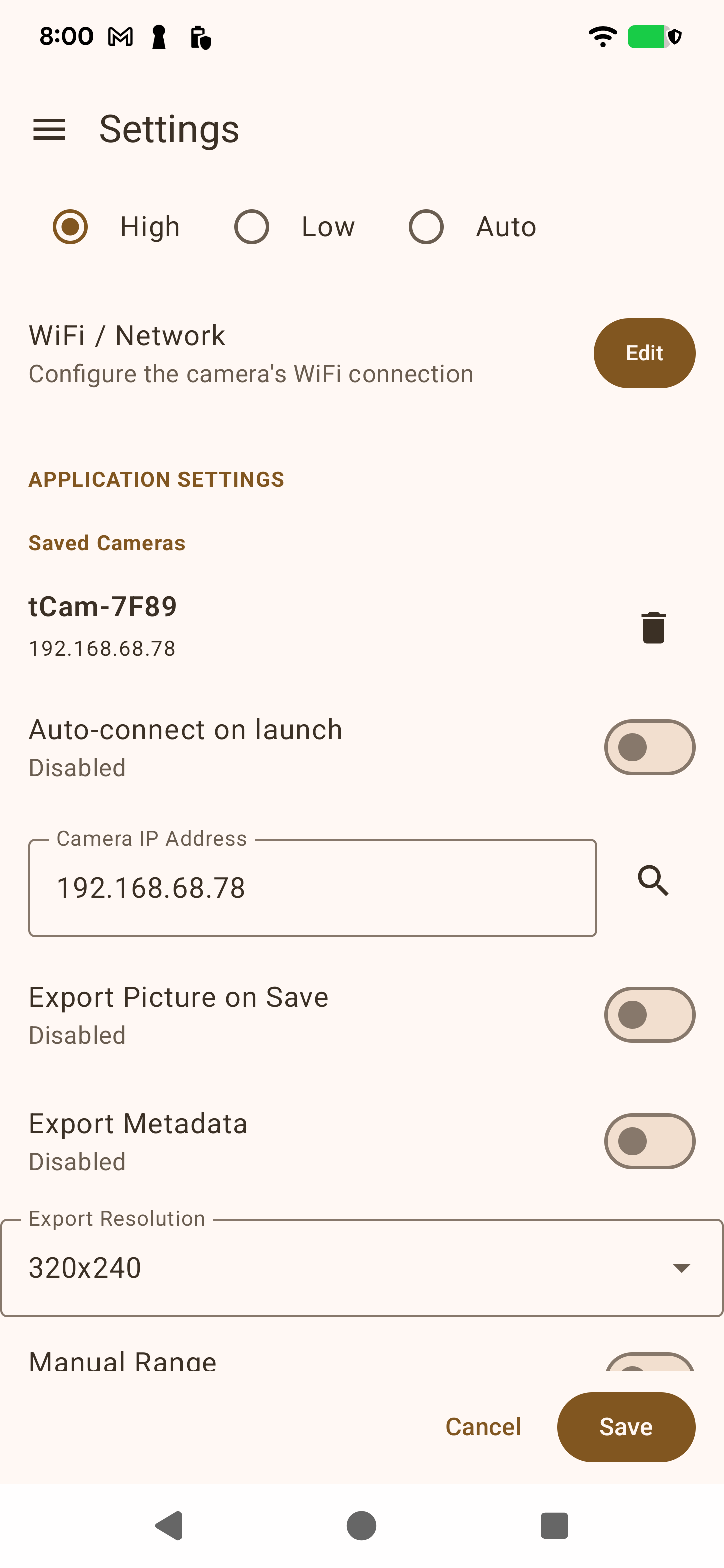
Skip the reconnect ritual
Every camera you've found or connected to is remembered, most-recent first. Tap one to reconnect, or flip on auto-connect to skip the tap entirely on launch.
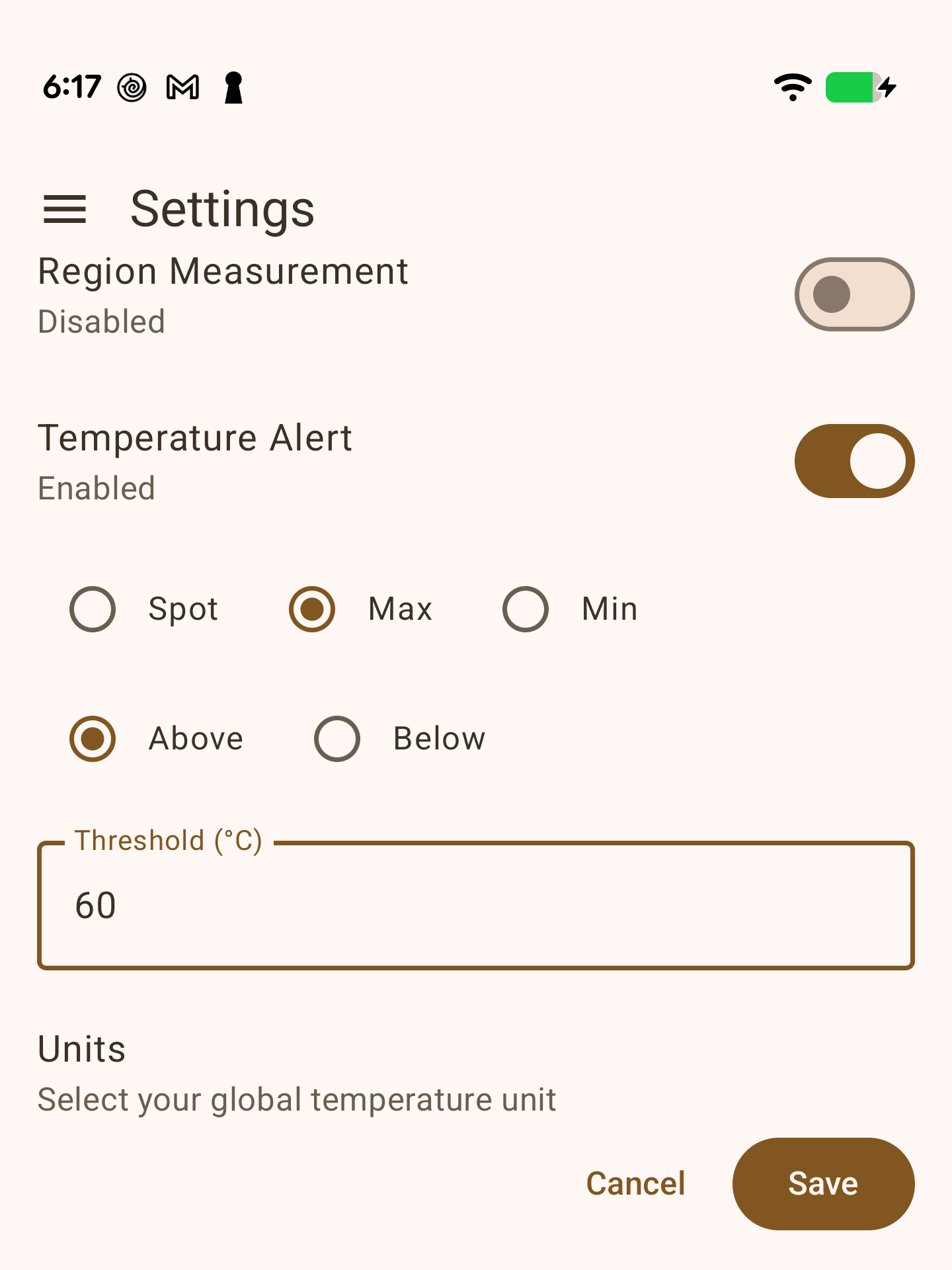
Get alerted when it crosses a line
Watch spot, max, or min against a threshold you set, above or below — the app flags it the moment the reading crosses, so you don't have to stare at the chart.
Downloads
Requires Android 8.0 (API 26) or later, and a tCam camera on the same Wi-Fi network.
GitHub
Available nowThe same signed build published after every fix lands — updated in place, no store review to wait on.
Download APKGoogle Play
Available nowThe official listing — automatic updates, Play Protect scanning, no manual APK installs.
Get it on Google PlayAlso runs on your desktop
tcamViewerDesktop is a Compose Multiplatform port for Linux — the same four screens and the same protocol/decode/palette code as the Android app, not a stripped-down companion.
Camera
Live thermal video, spotmeter or region measurement, AGC/manual range, palette switching, and a flat-field-correction button — over the same WiFi/TCP connection as the phone app.
Settings
Staged Save/Cancel editing, a Saved Cameras quick-connect list with auto-connect on launch, mDNS discovery, temperature alerts, and WiFi configuration with SSID scanning.
Library
Saved images, recordings, and time lapses grouped by date, with frame-by-frame video playback, PNG export, and — on a full tCam — downloading files straight off its SD card.
Charts
Every saved temperature-history chart, browsable the same way — grouped by date, filterable, deletable.
Linux
.deb package
v2.1.0For Debian/Ubuntu and derivatives — installs a launcher and icon like any native app.
Download .deb.rpm package
v2.1.0For Fedora, RHEL, openSUSE, and CentOS — installs a launcher and icon like any native app.
Download .rpmAppImage
v2.1.0A single portable file — mark it executable and double-click to run, on almost any distro, no install needed.
Download AppImageFlatpak
v2.1.0Sandboxed bundle — install with flatpak install --user tcamViewerDesktop-2.1.0.flatpak. Not yet on Flathub.
Portable tar.gz
v2.1.0No install — unpack anywhere and run bin/tcamViewerDesktop. Bundles its own JRE.
Raspberry Pi (arm64)
.deb package
v2.0.0For Raspberry Pi OS (Debian-based) — installs a launcher and icon like any native app.
Download .debAppImage
v2.0.0A single portable file — mark it executable and double-click to run, no install needed.
Download AppImagePortable tar.gz
v2.0.0Built natively on a Pi 4, Raspberry Pi OS 64-bit (Trixie). No install — unpack anywhere and run bin/tcamViewerDesktop. Bundles its own JRE. From tcamViewer2-rpi, a separate repo for the Pi port.
./gradlew run
, or build your own package with
./gradlew packageDeb
,
packageRpm
, or
./scripts/build-appimage.sh
.
This app only talks to your camera, on your own Wi-Fi network. No account, no ads, no analytics — full details in the privacy policy.